TRACK 05
Summarizer
Desktop App • 2025
OVERVIEW
A privacy-first desktop app that reads and summarizes web pages for you — powered by local AI, no internet required for processing
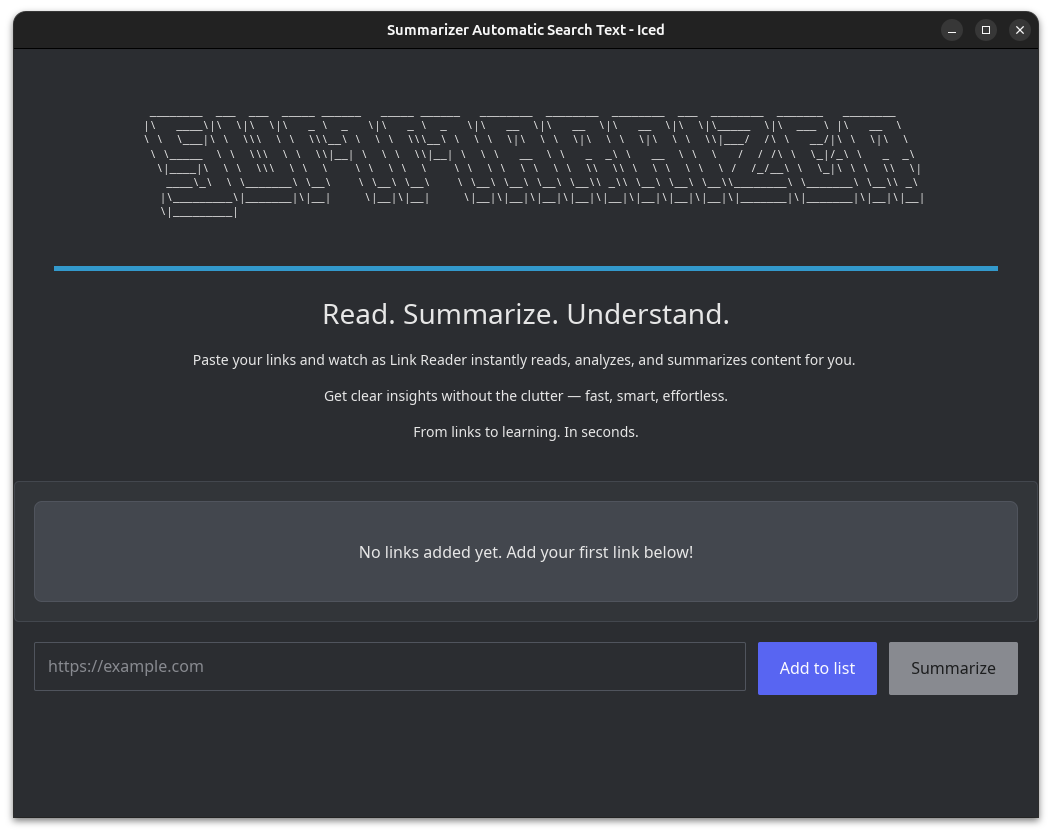
Paste multiple URLs and summarize them all at once — no manual copy-pasting from each page
100% offline AI processing — your data never leaves your machine
Clean, modern interface that adapts to any screen size with a responsive grid layout
Built-in text editor to tweak and refine summaries before saving or sharing
One-click browser opening for any link in your list
Graceful error handling — if one link fails, the rest keep processing
No API keys, no subscriptions, no cloud accounts required
Available on Windows, Linux
CHALLENGES
The biggest challenge was making local AI inference feel fast and seamless to the user. Running a 7-billion-parameter language model on consumer hardware requires careful optimization — from choosing the right quantization level to managing memory efficiently. The interface needed to stay responsive during processing, showing real-time progress without freezing. Making the experience consistent across Windows, Linux, and macOS added another layer of complexity, particularly around file paths, browser integration, and build toolchains.
OUTCOMES
Link Reader proves that powerful AI tools don't need the cloud. The app delivers instant, private web summarization with a polished desktop experience. Users can process dozens of links in parallel, edit the results, and never worry about their browsing data being collected. It's a practical tool for researchers, students, and anyone who reads a lot online.
Link Reader is a desktop application that helps you make sense of the web faster. Paste one or more URLs, hit process, and within moments you get concise summaries of each page — all generated by an AI model running entirely on your computer. No data is ever sent to the cloud, no API keys are needed, and no subscription is required. The app features a clean, responsive interface that adapts from single-column on small screens to a four-column grid on wide displays. Each summary can be edited directly in the built-in text editor, and any link can be opened in your browser with a single click. Errors are handled gracefully per link, so one broken URL won't stop the rest from being processed. Available for Windows, Linux, and macOS.
Home
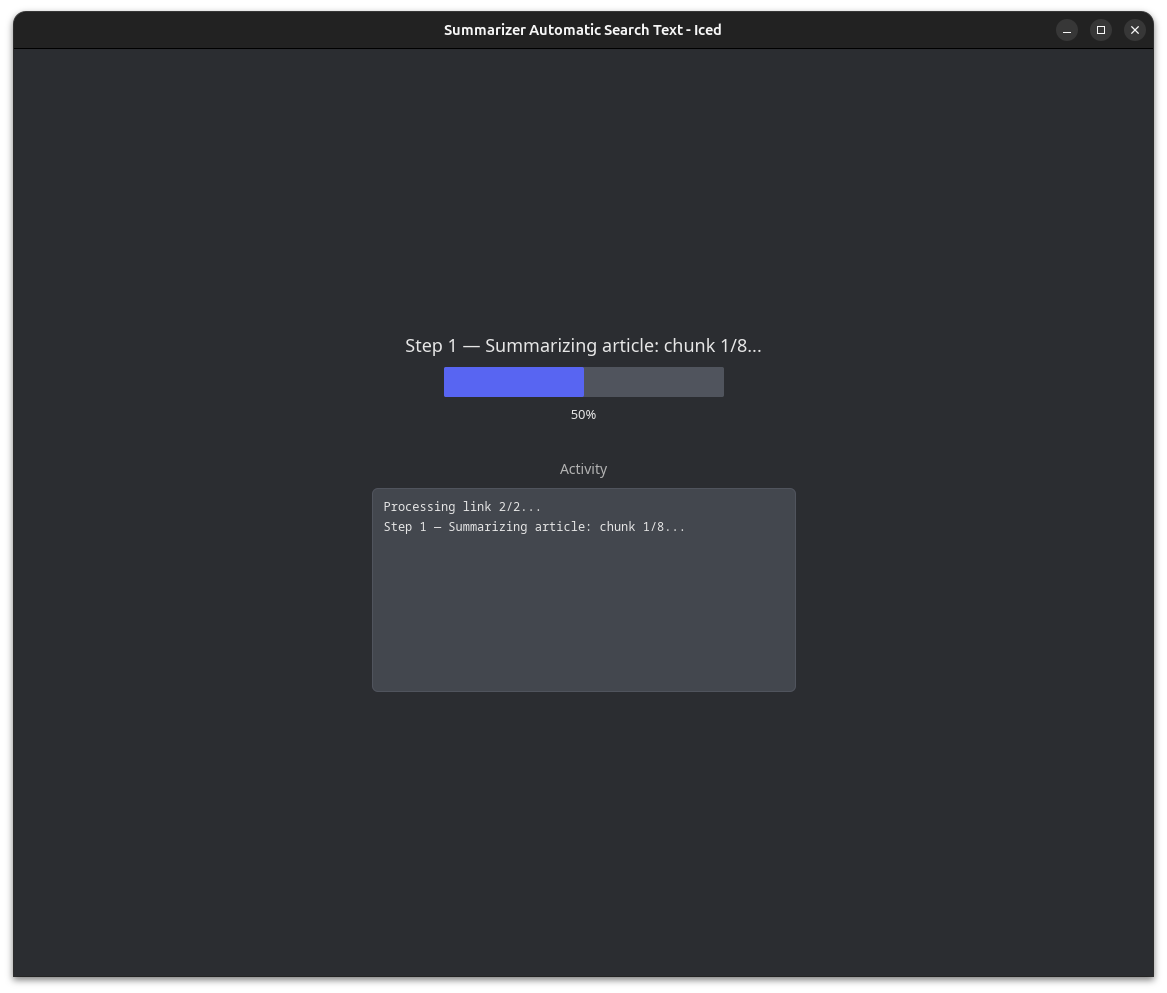
Processing
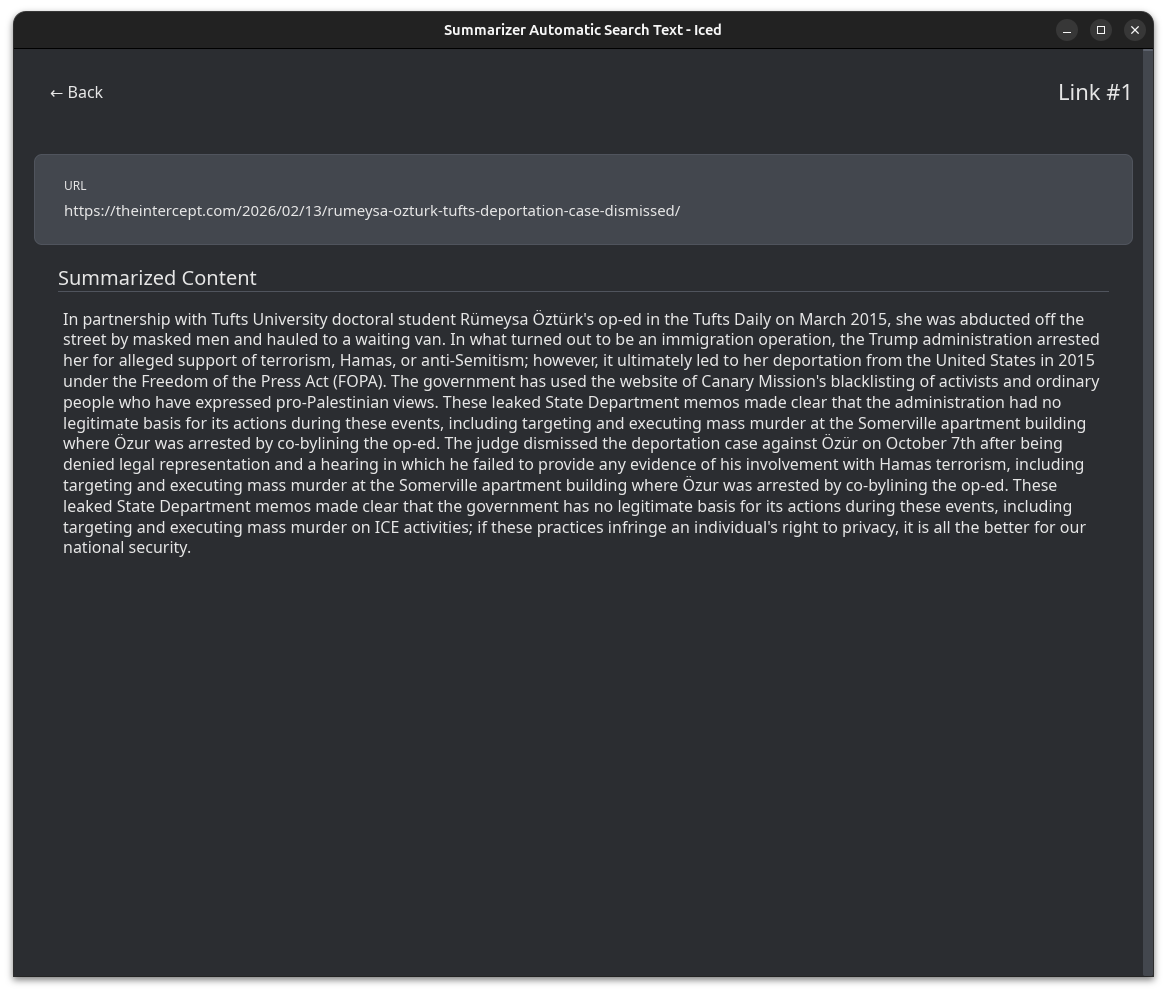
Summary
AVAILABLE NOW
Windows: Extract and run Summarizer.exe|Linux: chmod +x summarizer && ./summarizer
- Lenovo Legion 5 Pro 16ACH6H — Ubuntu 24.04.4 LTS (64-bit), GNOME 46, X11. AMD Ryzen 7 5800H × 16, 16 GB RAM, NVIDIA GeForce RTX 3070 Laptop GPU. Firmware GKCN65WW, kernel Linux 6.17.0-14-generic.
- PC con AMD Ryzen AI 9 365 w/ Radeon 880M (2.00 GHz), 32 GB RAM (7500 MT/s), AMD Radeon 880M Graphics (290 MB), 954 GB storage (96 GB used).